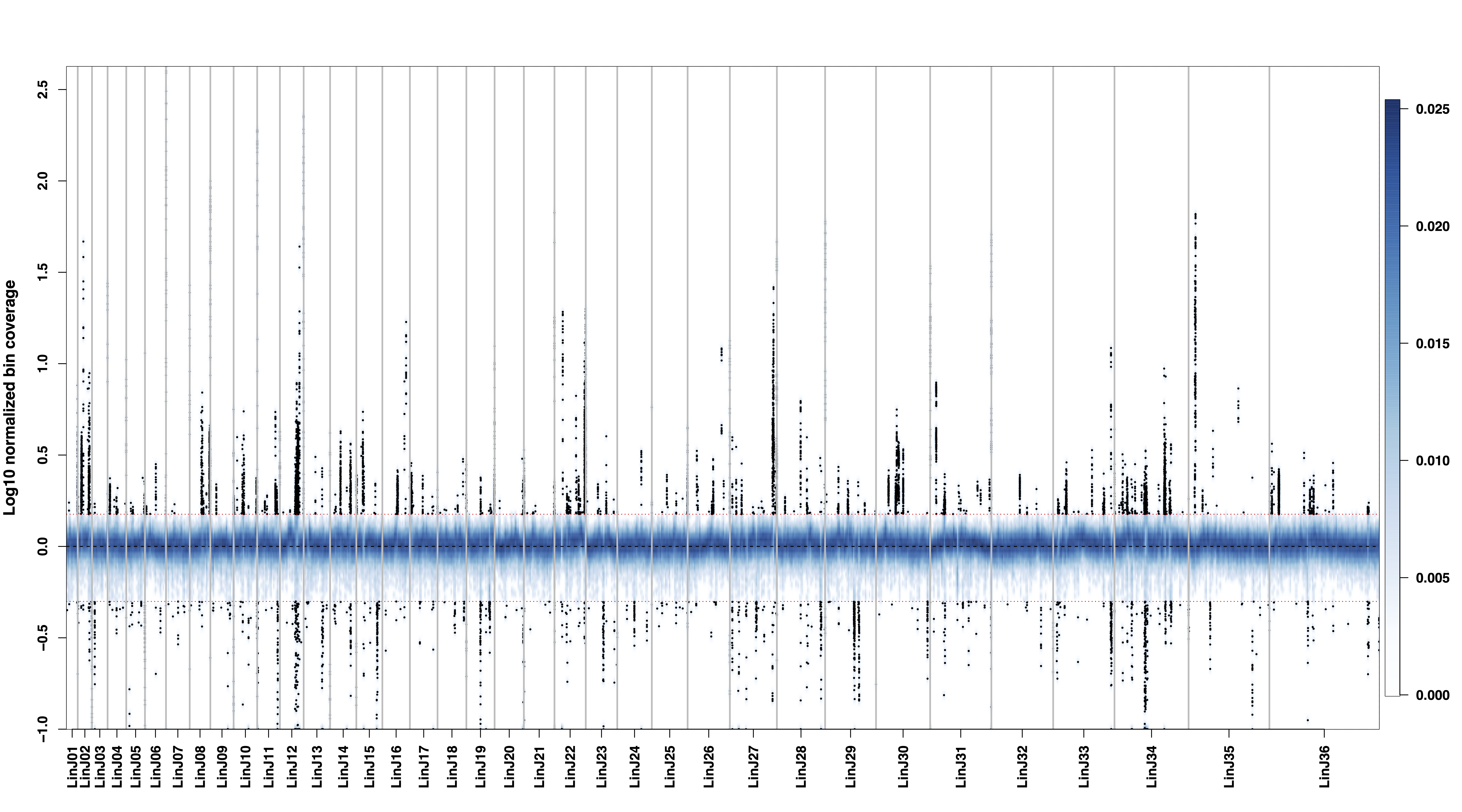
binDensity
Options
Option |
Description |
Argument |
|---|---|---|
--samplesList |
File listing in one column the samples to use. If “NA” all samples are used. [default NA] |
[char …] |
--gipOut |
GIP output directory [default gipOut] |
[char] |
--outName |
Output name [default gipOut/sampleComparison/binDensity] |
[char] |
--chrs |
Chromosomes to use. If “NA” it uses the same chromsomes as GIP [default NA] |
[char …] |
--minMAPQ |
Remove bins with MAPQ < –MAPQ [default 0] |
[int] |
--pseudocount |
Normalized mean coverage pseudocount value preventing minus infinite values in log10 transformation [default 0.1] |
[double] |
--highLowCovThresh |
Provide two numbers. Bins with normalized coverage values > num1 or < num2 will be labeled. [default 1.5 0.5] |
[double double] |
--bandwidth |
Smoothing bandwidth value. Provide two numbers to enforce different bandwidths on the x and y axes respectively [default 10000 0.01] |
[double double] |
--nbin |
Number of equally spaced grid points for the density estimation. Provide two numbers to use different numbers for the x and y axes respectively [default 1000] |
[int int] |
--showSubset |
Show a random subset of genomic bins with normalized coverage values above or below –highLowCovThresh. This random subset does not affect the density estimation [default 50000] |
[int] |
--debug |
Dump session and quit |
|
-h, --help |
Show help message |
Description
binDensity module aims at visualizing the normalized bin sequencing coverage of multiple samples using a smoothed color density representation.Example
giptools binDensity