panel
Options
Option |
Description |
Argument |
|---|---|---|
--samplesList |
File with a column named “sampleId” listing samples names, plus two TSV columns specifying respectively sample sets and colors [required] |
[char] |
--gipOut |
GIP output directory [default gipOut] |
[char] |
--outName |
Output name [default gipOut/sampleComparison/panel] |
[char] |
--panel |
File with three columns named “gene_id”, “set” and “color” listing respectively the gene ID, the panel group, and the color [required] |
[char] |
--addBackground |
Number of random non-panel genes to be added and shown in scatterplots. If “all” all non-panel genes are added. If “none” no genes are added [default none] |
[int| “all”|”none”] |
--covNorm |
Plot gene coverage normalized by [chromosome|genome] median coverage[default genome] |
[“chromosome”| “genome”] |
--covPlotDim |
Gene coverage plot height and width values [default 10 20] |
[double double] |
--varPlotDim |
Gene variants plot height and width values [default 10 20] |
[double double] |
--contrast |
Compare samples from these two sets. If “NA” all samples are considered from the same set [defaul NA] |
[char char] |
--debug |
Dump session and quit |
|
-h, --help |
Show help message |
Description
panel module aims at extracting and summarizing the normalized coverage and synonimous (S) and non-synonimous (N) SNV information for one or more gene panels in one or more sample sets. The gene panels are specified with the --panel parameter. The sample sets are specified with the --sampleList parameter. Optionally the use can compare N, S and coverage statistics in two sample sets of interest by specifying the set names with the --contrast parameter.Example
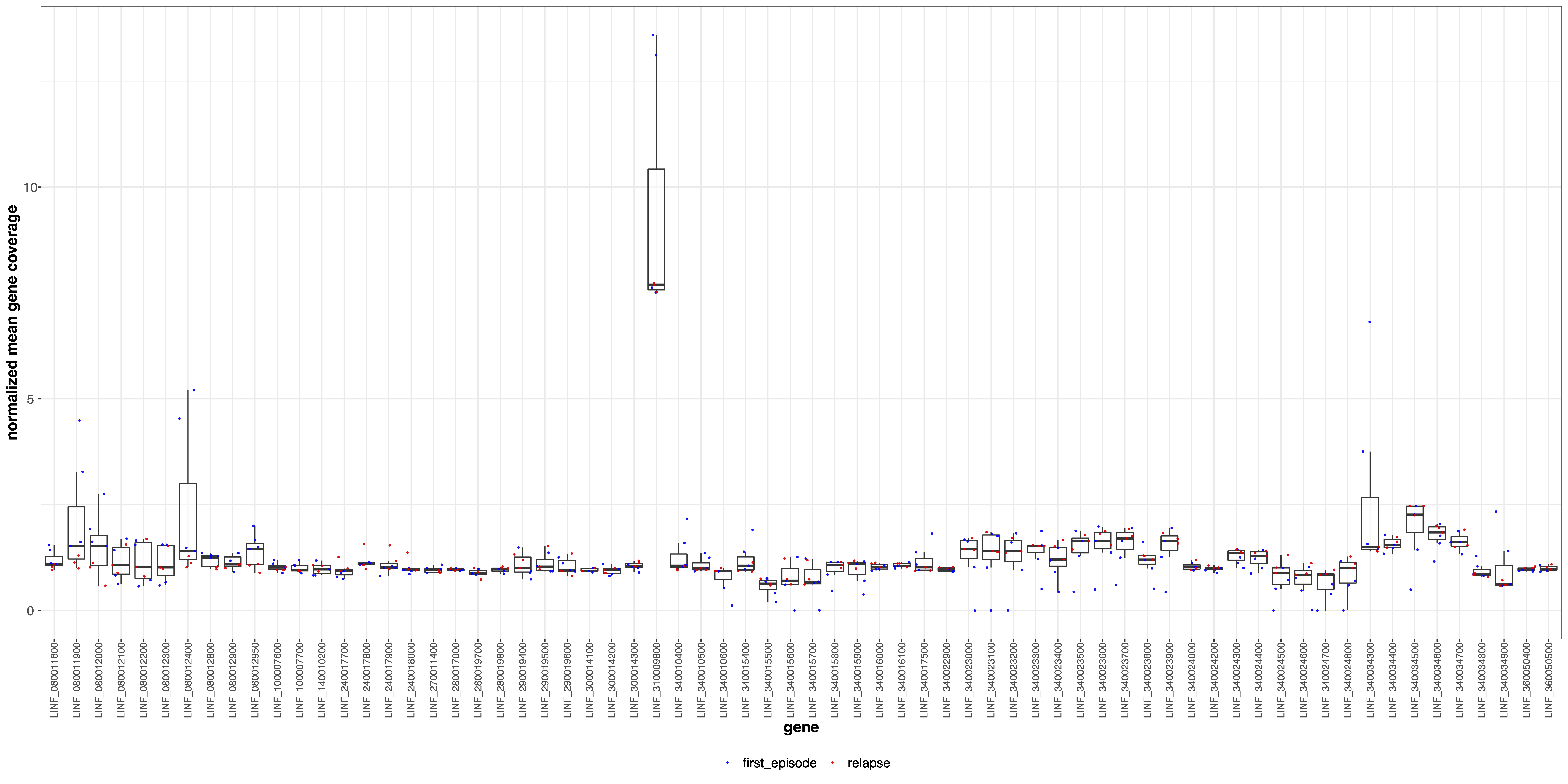
giptools panel --sampleList sampleList.tsv --panel panel.tsvthis.68 amastin genes.The .coverage.pdf file includes multiple plots showing the sequencing coverage of the genes in the panel normalized by median genomic coverage
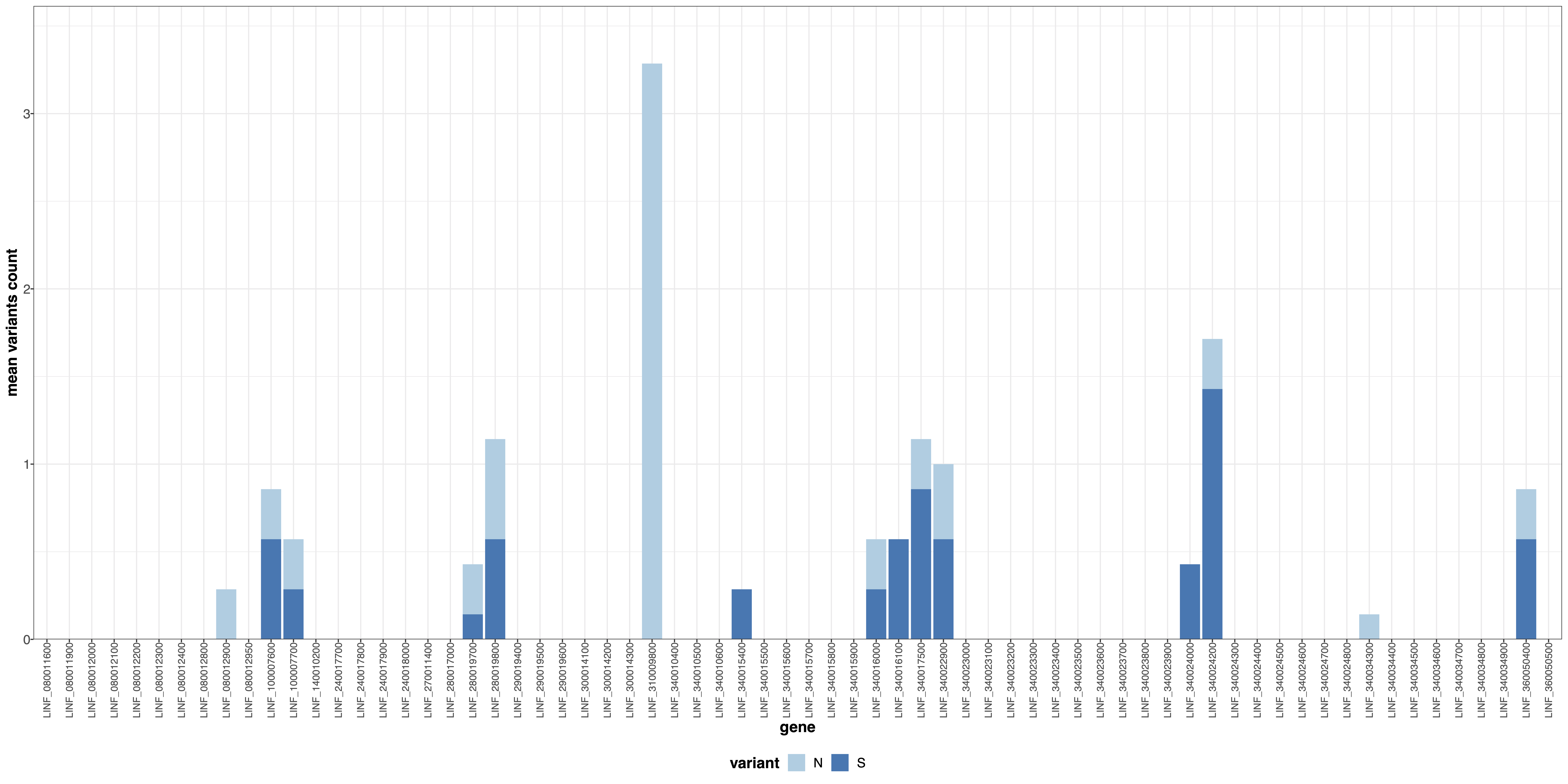
The .variants.pdf file represents the counts of N and S mutations for each gene in the panel
The panel.xlsx file is an excel table reporting the normalized coverage, the N and S counts for each gene.